Veo 3 Video Generator for DTC Product Ads
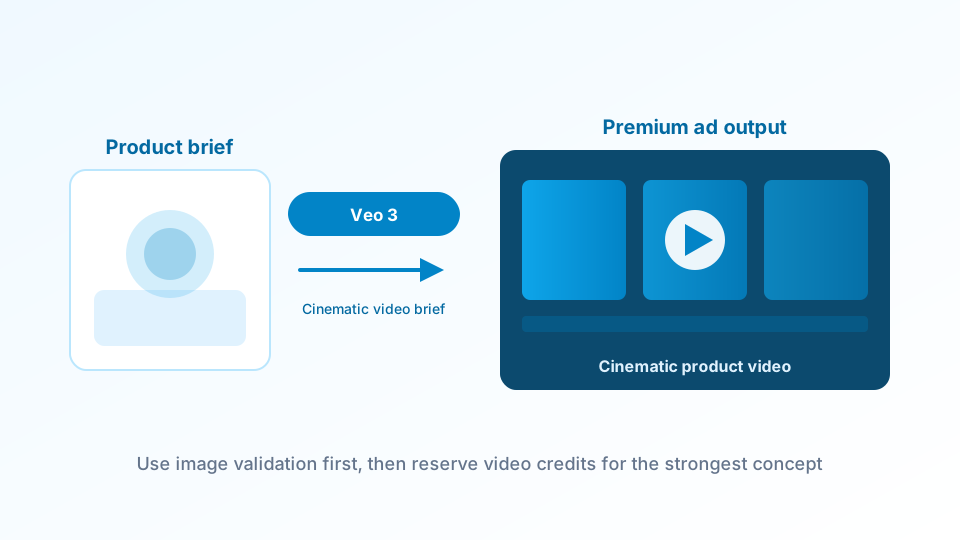
TrendVis integrates the Veo 3 video generator — Google DeepMind's most advanced AI video model — inside a DTC-specific creative workflow. You get Google's generation quality combined with a structured 6-step production system that handles creative direction, trend analysis, and image testing automatically.
Using the Veo 3 video generator directly requires you to write detailed prompts and manage your own creative direction. TrendVis removes that friction. You describe your product and goal, and the workflow generates creative angles, tests them as images, then produces your Veo 3 video — no prompting skills required. DTC brands go from product photo to finished ad in a single session.
Veo 3 is particularly strong for premium product categories where material texture, lighting accuracy, and cinematic motion quality matter. For beauty, fashion, food, and lifestyle brands, Veo 3 produces video output that competes with expensive traditional production.
What Is the Veo 3 Video Generator?
Veo 3 is Google DeepMind's third-generation video generation model, consistently ranked among the top AI video models in 2026. It accepts text prompts and reference images as inputs and produces high-definition video with native audio synthesis — dialogue syncs with lip movement, sound effects match on-screen action, and ambient audio fits the scene.
The Veo 3 video generator excels at cinematic coherence — keeping visual quality consistent across scenes, rendering material textures accurately, and producing camera movement that feels natural rather than artificial. These qualities make it an excellent choice for DTC product ads where visual credibility drives purchase intent.
When you use this model through TrendVis, Veo 3 receives optimized prompts shaped by your campaign goal, audience, and creative angle — rather than a generic text description. This produces significantly better output than using Veo 3 with manually written prompts. Browse example Veo 3 output here.
Cinematic Quality
Photorealistic · 4K capable
Veo 3 produces video with film-like visual quality — accurate lighting, realistic material textures, and natural camera motion that matches how premium brand content is shot.
Native Audio Generation
Audio + video in one pass
Veo 3 generates video and audio together — sound effects, ambient noise, and voice sync naturally with the visual output. No separate audio production needed.
#1 Quality Benchmark
Veo 3.1 · Top Elo rating
Veo 3.1 consistently achieves top scores on independent AI video quality benchmarks, making it one of the strongest models available for brand content and product ads.
Veo 3 Cost Planning Notes
The cost analysis does not provide a Veo-specific per-second benchmark, so this page does not invent one.
Verified lower-cost options include Kling 2.1, Luma Dream Machine, and Seedance 2.0 for 15-second planning.
Use Veo 3 when cinematic fidelity matters; use cheaper routes when the goal is high-volume creative testing.
How TrendVis Turns Veo 3 Into a DTC Production Workflow
Running Veo 3 directly gives you generation power without creative strategy. TrendVis adds the strategy layer — so you arrive at a finished ad without writing a single prompt from scratch or deciding creative direction manually.
The full process is documented in the workflow guide. Here's how Veo 3 fits into each stage.
Input Your Product Goal and Target Audience
Product Category · Audience Profile · Platform
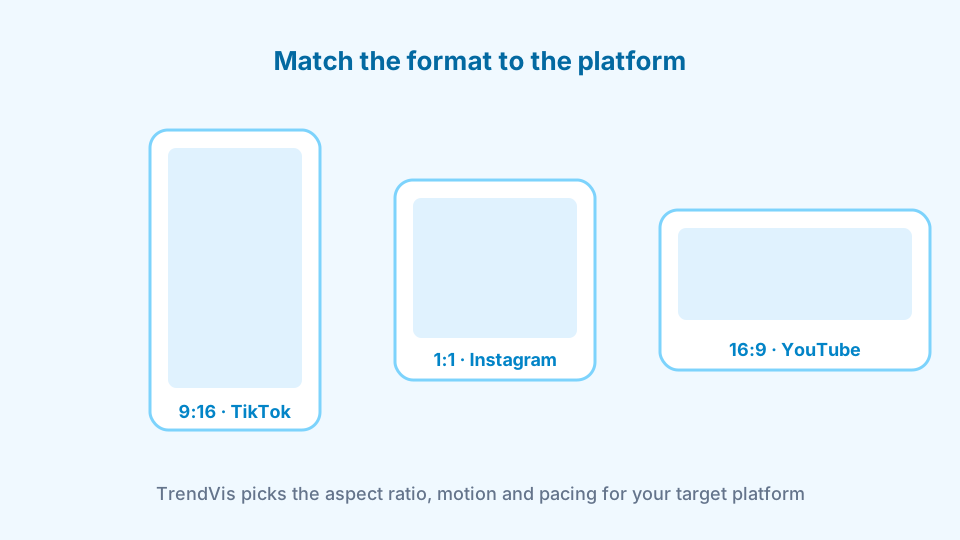
Begin by entering your product details, target audience demographics, and which platform the Veo 3 video will run on — TikTok, Instagram Reels, Facebook, or YouTube Shorts. Each platform has different content behavior, and TrendVis optimizes the Veo 3 generation parameters accordingly — aspect ratio, motion speed, visual energy, and pacing.
This input determines everything downstream. The Veo 3 video generator is powerful, but it needs clear creative direction to produce output that performs rather than just looks impressive. Defining your goal upfront is what separates a functional ad from a generic showcase.
A beauty brand targeting 22–30 year-old women on TikTok needs Veo 3 to produce fast-paced, close-up texture shots. A premium home goods brand running YouTube Shorts needs slower, more atmospheric motion. TrendVis makes that distinction automatically.
Generate 6 Creative Angles and Test with Images First
Trend analysis · Angle generation · Static image validation
TrendVis generates 6 structured creative angles based on your goal — each grounded in real social content performance patterns. Attention-grabbing hooks, authority plays, conversion-focused scenes, and emotion-driven content are all generated with clear visual direction and rationale, ready to brief Veo 3 effectively.
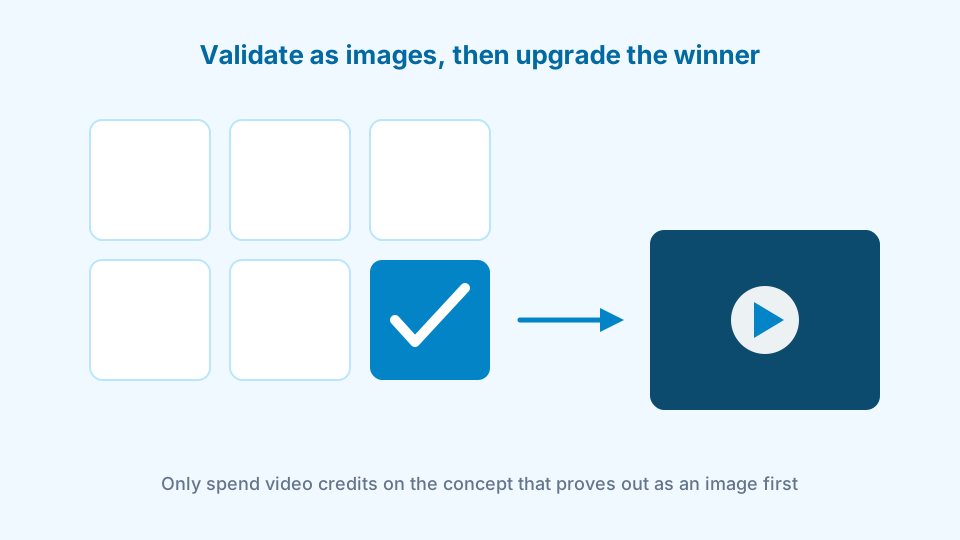
Before generating any video output, test each creative direction as a static image at a fraction of the cost. Only upgrade the winning direction to Veo 3 video generation. This validation step dramatically reduces wasted credits. View TrendVis pricing.
The image-first validation approach is one of TrendVis's most impactful features — it changes Veo 3 from an expensive experiment into a high-confidence video production step.
Run Veo 3 Generation and Download Your Video
Veo 3 generation · Refinement · Export
Once you've validated your creative direction, TrendVis routes an optimized prompt to Veo 3 and produces your video. Veo 3 receives a fully structured brief — product context, visual style, motion parameters, and platform specifications — producing output significantly better than manually prompted Veo 3 generation.
Refine the result with style notes if needed, then download the finished file and post directly. The Veo 3 video is platform-ready out of the box — no post-production, no editing software, no external creative resources.
See what finished outputs look like before you start: browse example creatives here.

Who Gets the Most from Veo 3 Video Generation
The Veo 3 video generator has different strengths for different teams inside DTC brands. Here's how each role benefits from using Veo 3 through TrendVis.
Premium Brand Teams
Beauty · Fashion · Luxury DTC
Performance Marketers
Meta Ads · TikTok Ads · YouTube
Content & Creative Directors
Organic social · Brand campaigns
Veo 3 Use Cases for DTC Video Ads
Veo 3's cinematic quality opens up use cases that lower-quality models can't support. Here's where DTC brands apply the Veo 3 video generator most effectively through TrendVis.
For a full breakdown of DTC-specific use cases, read the DTC brands guide.
Premium Product Launch Videos
Most PopularLaunch day · Hero creative · Brand awareness
Use Veo 3 to produce a cinematic hero video for product launches — photorealistic, brand-aligned, and platform-ready on day one. No studio required, no post-production lag.
Paid Ad Creative with Visual Impact
High ROIFacebook · TikTok · Meta Ads
Veo 3 video output performs well in paid social because the visual quality is strong enough to stop the scroll. Test variants with TrendVis before you spend ad budget — then scale the winner.
Material and Texture Showcase Videos
Premium FitFashion · Skincare · Homeware
Veo 3 excels at rendering material textures accurately — fabric weave, liquid flow, skin texture, ceramic finish. Product categories where material quality drives purchase intent benefit most from Veo 3.
Multi-Platform Content from One Session
EfficiencyTikTok · Instagram · YouTube Shorts
Generate platform-specific Veo 3 videos from one product session — vertical for TikTok, square for Instagram, landscape for YouTube — each optimized for the visual behavior of each platform.
Frequently Asked Questions
For pricing details, see the full plans page.
What is the Veo 3 video generator?
Veo 3 is Google's third-generation AI video model, developed by Google DeepMind. Released in 2025 and updated to Veo 3.1 in 2026, it produces high-definition video from text prompts or images with native audio generation and photorealistic motion. The Veo 3 video generator is consistently rated among the top two or three AI video models available and excels at cinematic quality, multi-subject scenes, and visually coherent outputs — making it a strong choice for product ads and brand content.
Does TrendVis use the official Veo 3 video generator?
Yes. TrendVis integrates the Veo 3 model to provide DTC brands with access to Google's generation quality inside a structured creative workflow. You get the same Veo 3 video generation output as using Veo 3 directly, with the added benefit of creative direction, angle testing, and image validation built in around it.
How does Veo 3 compare to other AI video models for product ads?
Veo 3 is particularly strong for high-fidelity cinematic shots, complex multi-subject scenes, and visually consistent brand content. It produces photorealistic motion with accurate lighting and material rendering — qualities that matter most when creating premium product ads for beauty, fashion, food and beverage, or lifestyle categories. TrendVis also integrates Kling AI, Seedance AI, and Luma Dream Machine for different use cases and price points.
Is the Veo 3 video generator good for ecommerce product videos?
Yes. Veo 3 excels at product-focused video content — particularly for categories where visual fidelity, texture accuracy, and material rendering matter. Skincare, beauty, fashion, and premium home goods brands consistently get strong results. The Veo 3 video generator produces motion that feels grounded and realistic rather than artificial, which is critical for ads that need to drive purchase intent.
How much does it cost to generate a video with Veo 3 on TrendVis?
TrendVis uses a credits-based system and plans start at $29 per month. The cost analysis does not provide a separate Veo 3 per-second rate, so TrendVis treats Veo 3 as a premium-quality route and uses verified lower-cost planning benchmarks when budget is the priority: Luma at $1.20-$1.80 per 15 seconds, Seedance 2.0 at about $1.95, Kling 2.1 at $0.75-$1.50, and Pika from $8/month with 720p and 8-second limits.
What is Veo 3.1 and is it available on TrendVis?
Veo 3.1 is Google's updated version of the Veo 3 model, featuring improved motion coherence, faster generation, and a Lite variant for cost-efficient high-volume generation. TrendVis integrates the latest available version of the Veo 3 video generator — including Veo 3.1 — and automatically routes your workflow to the most appropriate model variant based on your output quality settings.
Explore More AI Video Models on TrendVis
TrendVis integrates multiple leading AI video models. Compare options based on your product category and creative goal.
Start Creating with Veo 3 Today
Try TrendVis free — 10 image generations and 2 Veo 3 video upgrades included. No credit card required.
Get Started FreeRelated models / Compare
Next pages to crawl from Veo 3 Video Generator
Compare adjacent AI models, then return to the complete model hub when you need the full TrendVis map.